Memora
Second brain for your AI
One shared, self-hosted memory for your AI agents. Notes stay plain Markdown files on your own server, and Claude Code, Codex, Cursor or any other MCP client read and write them through one endpoint.
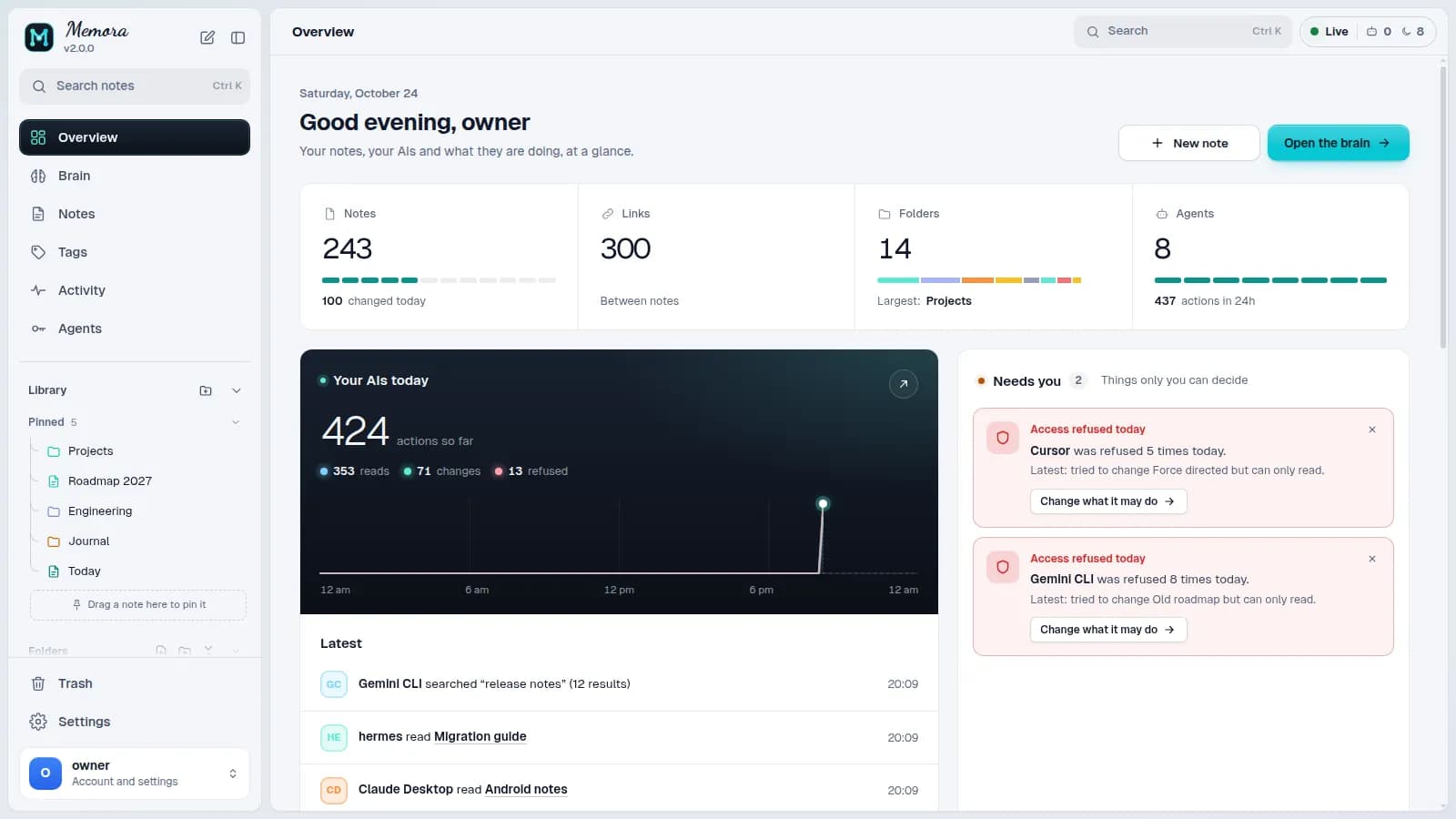
What it does
Plain Markdown
Every note is a .md file in a folder you own, with [[wikilinks]] and tags. No proprietary format, no lock-in.
One endpoint for every agent
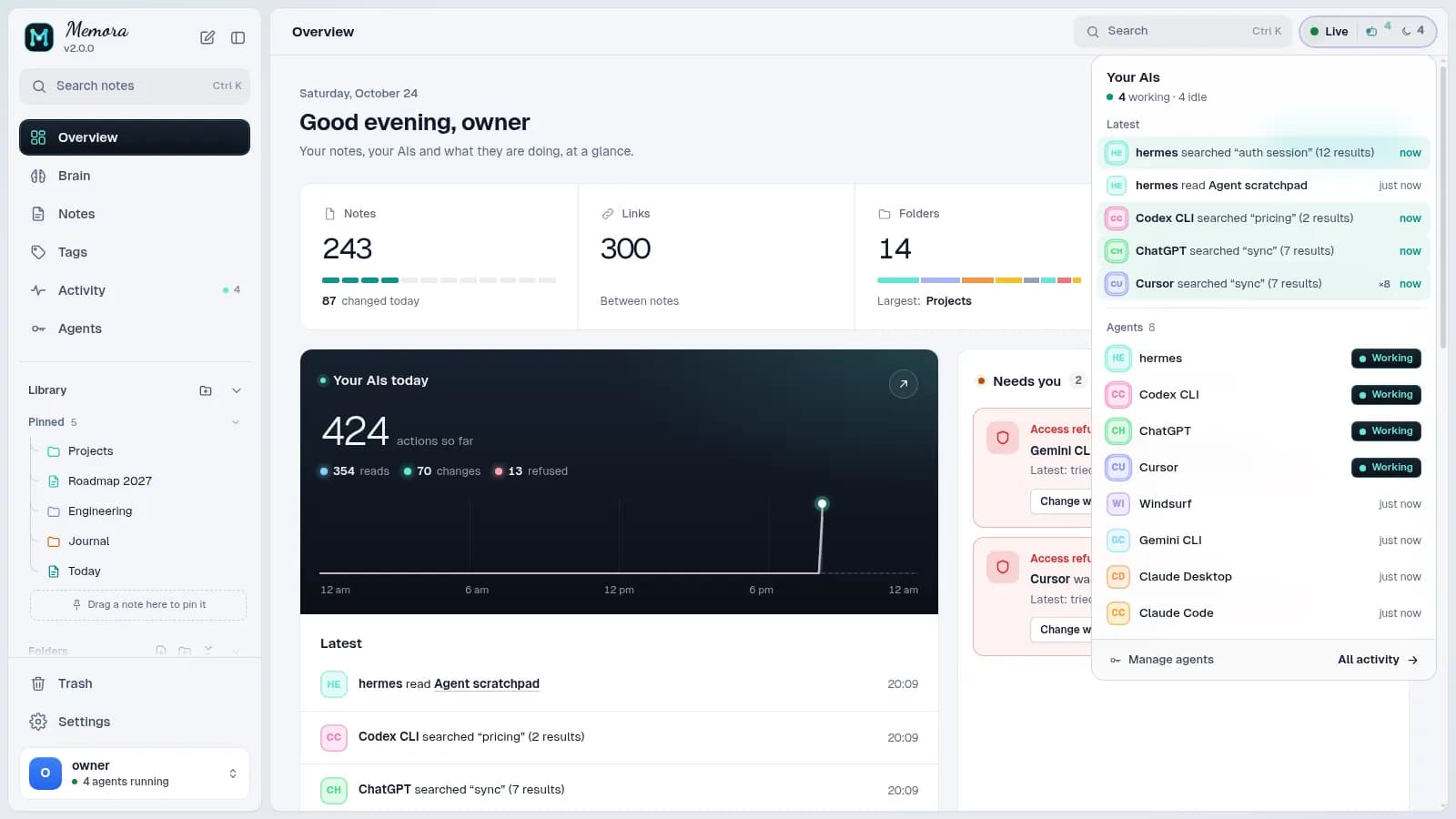
Claude Code, Codex CLI, Cursor, ChatGPT and other MCP clients connect to the same endpoint, each with its own key, and share one memory through 75 tools.
Watch agents work
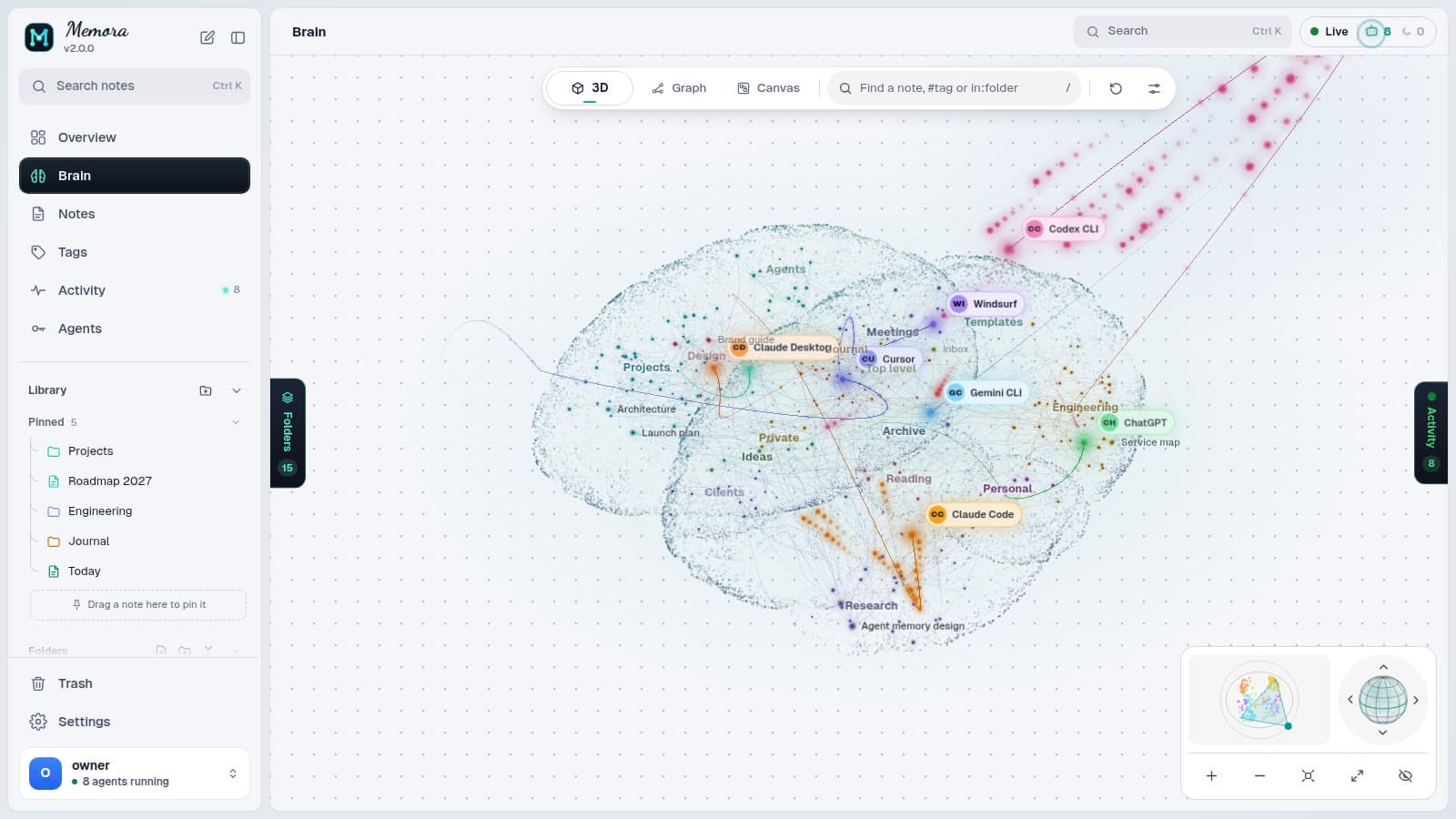
A live panel, the Activity summary and its Timeline show which notes each agent reads and writes, as it happens, and what it tried but was not allowed to do.
Brain, graph and canvas
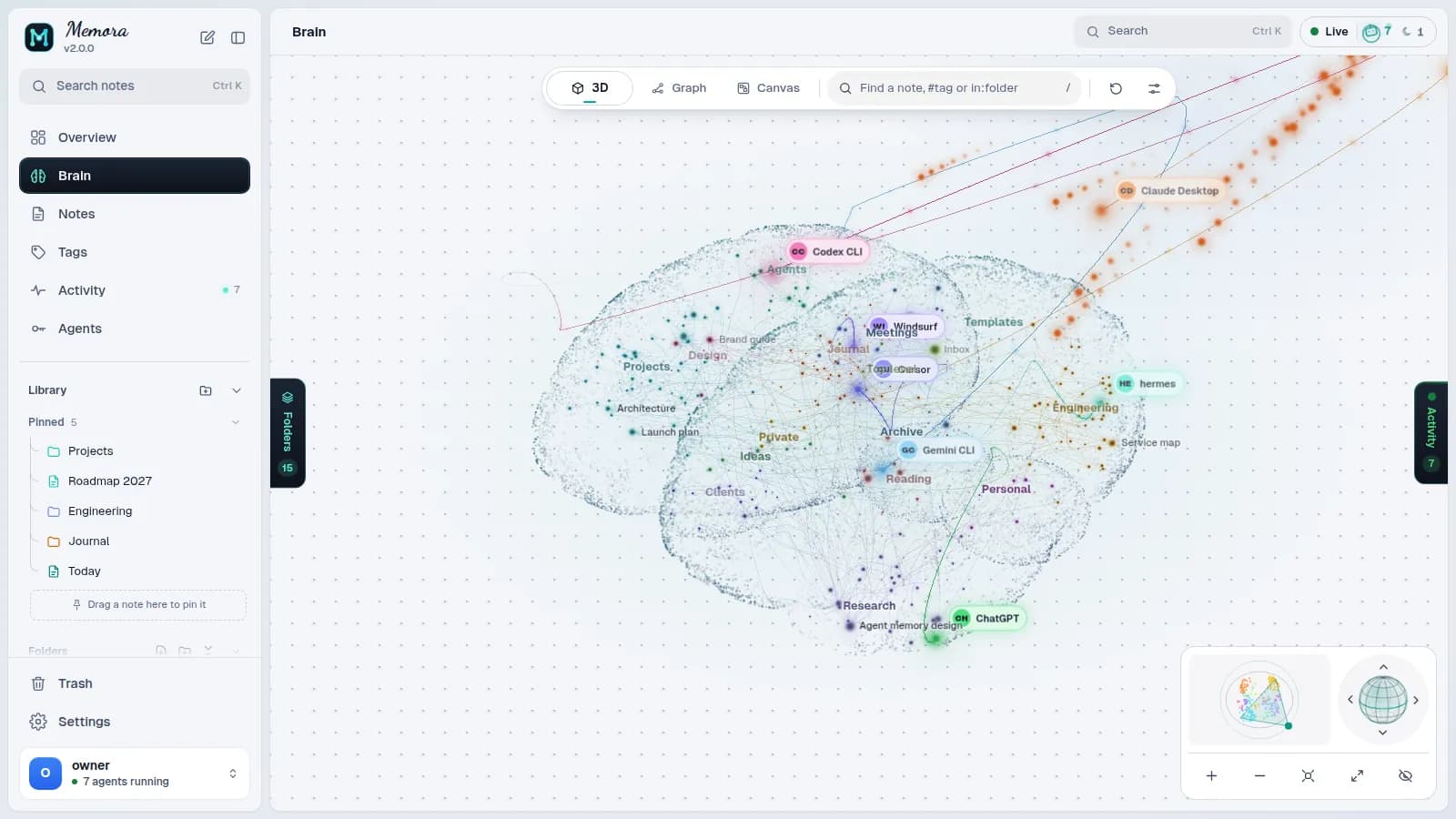
Explore the vault as a 3D brain with folders as regions, as a link graph, or as cards on a canvas.
You decide who sees what
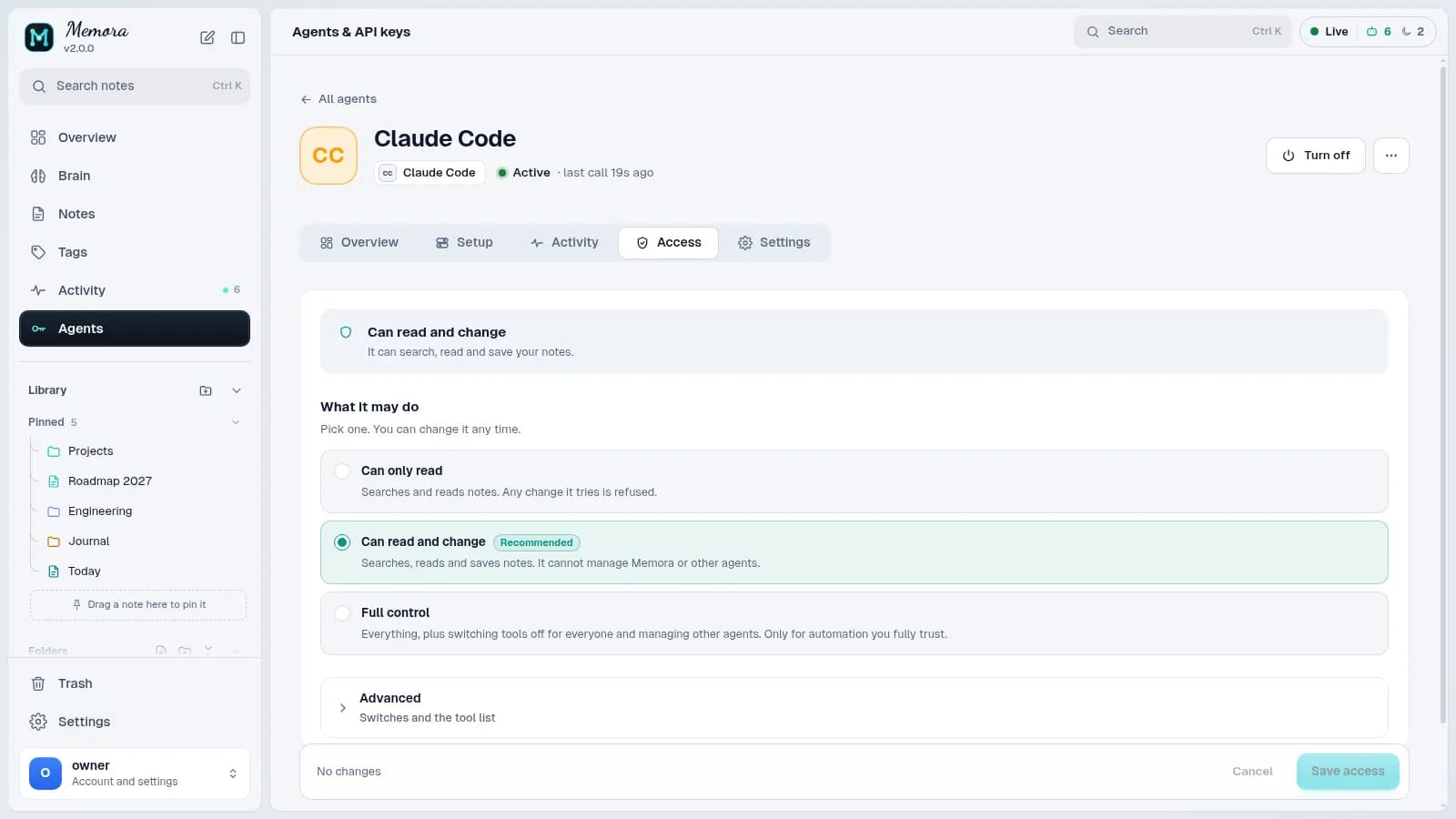
Per-agent permissions (can only read, can read and change, or full control, and which tools), privacy rules that hide folders from chosen agents, and access rules by network.
Links and pins that follow
Drag a note or folder where it belongs, or pick a folder from a searchable tree. Wikilinks and pins follow every move and rename, and agents can pin what matters too.
Version history and a Trash
With the vault in git, every note keeps its versions: see who made each one, compare it with the current text and restore it. Deleted notes go to the Trash first, and you choose where a restored note goes.
Tags and patterns
Pick tags to see their notes at once, merge or rename them in bulk, and find notes by a pattern of tags joined with and, or and not.
Ready-made agent instructions
Copy instructions in the style you want (balanced, private, read only, session journal) into Claude Code, Codex, Cursor or any client.
Self-hosted
One program, one port, on your laptop, home server or VPS. Your memory stays where you put it.
Install
Install, run, then open the link that memora-cli setup prints and create your account. A native Linux service and every option are in the install guide.
npm install -g @codrihub/memora
memora
# in a second terminal:
memora-cli setupdocker run -d --name memora -p 8400:8400 \
-v memora-data:/data -v memora-state:/state \
ghcr.io/codrihub/memora:latest
docker exec -it memora memora-cli setupThe film
Ninety seconds on what Memora does, rebuilt from the real interface.
Try it, break it, tell us.
Memora is open source and in active development. Bug reports, ideas and pull requests are all welcome on GitHub.